


UTBMS codes (Uniform Task-Based Management System codes) are standardized codes used to classify tasks, activities, and costs incurred by external or outside counsel on their invoices. They allow in-house legal teams to monitor spending on external counsel by category, ensure they follow billing policies, compare law firm performance, and understand where their legal spend is going. This article will explain what the 4 types of codes are, what the main sets of codes are, how to use them to check your invoices, and their relationship with LEDES files.
What Are UTBMS Codes and Why Do They Matter to Corporate Legal Departments?
Each item of outside counsel billing includes codes for the type of work undertaken, when it was undertaken, and what type of costs were incurred.
The system was developed in the 1990s by the ABA, ACC, and PricewaterhouseCoopers in an attempt to standardize legal billing. The codes are maintained by the LEDES Oversight Committee, which was originally an informal industry initiative run by PricewaterhouseCoopers in 1995. The committee became a non-profit organisation in 2001. The group responsible for updating the UTBMS merged into the committee in 2006. Most clients using UTBMS also insist on electronic billing, typically within a LEDES format. The codes are important for corporate legal departments as they allow the invoices to be standardized.
For corporate legal departments, the codes matter because they turn invoices into comparable data:
- Standard billing across firms. All firms use consistent terminology to describe any litigation discovery, deposition, or research task, enabling comparison between all firms.
- Visibility for General Counsel and legal ops. Using coded invoices, it shows what has been spent on in each stage, task, and matter type.
- A basis for enforcement. By including coding standards in external counsel guidelines, there is something to reference.
E-billing is standard practice at larger departments. 84% of departments use electronic billing, according to the CLOC 2025 State of the Industry Report. The ACC 2025 benchmarking report shows that e-billing use increases from 13% of departments in under-$1 billion revenue companies to 86% in $20 billion and over companies.
Understanding the Different Types of UTBMS Codes
UTBMS codes come in four types: phase, task, activity, and expense codes. Phase and task codes describe the stage and kind of work, activity codes describe the action performed, and expense codes classify the costs billed to the matter.
| Type | What it shows | Example |
|---|---|---|
| Phase | The broad stage of the matter | L100 Case Assessment, Development and Administration; L300 Discovery |
| Task | The kind of work within a phase | L330 Depositions; L450 Trial and Hearing Attendance |
| Activity | The action performed | A102 Research; A104 Review/analyze |
| Expense | The category of cost | E101 Copying; E119 Experts |
UTBMS Phase Codes
Phase codes group a matter into stages. In the litigation set, they are L100 Case Assessment, Development and Administration, L200 Pre-Trial Pleadings and Motions, L300 Discovery, L400 Trial Preparation and Trial, and L500 Appeal. A glance at spend by phase shows whether a matter’s costs sit where the team expected.
UTBMS Task Codes
Task codes sit inside each phase and name the specific work. Under L300 Discovery, for example, L310 covers written discovery, L320 document production, L330 depositions, L340 expert discovery, and L350 discovery motions. Each phase also ends with an “other” task, such as L190 or L390, for work that fits nowhere else.
UTBMS Activity Codes
Activity codes describe how the time was spent. The common ones are A101 Plan and prepare for, A102 Research, A103 Draft/revise, A104 Review/analyze, A105 Communicate (in firm), A106 Communicate (with client), A107 Communicate (other outside counsel), A108 Communicate (other external), A109 Appear for/attend, A110 Manage data/files, and A111 Other.
UTBMS Expense Codes
Expense codes classify costs passed through to the client, from E101 Copying, E102 Outside printing, and E106 Online research to E118 Litigation support vendors, E119 Experts, E122 Local counsel, E123 Other professionals, and E124 Other.
How the Four Types Combine on One Invoice Line
The task code, activity code, hours, rate, and amount will be included within the fee line. For example, the line will show ‘L330’, ‘A101’, 2.5 hours, and ‘Prepare examination outline for Smith deposition’. This gives information about what stage of the matter you’re at, what task you’ve done, what activity you’ve done, and how long it took. The expense codes will be listed on the expense lines. For example, ‘E119’ for expert fees.
Not all clients will request all four codes. You should check with the firms to see what codes they require by looking at the billing guidelines.
The Core UTBMS Code Sets Every In-House Legal Team Should Know
The ABA UTBMS code sets provide general codes for litigation, counselling, project, and bankruptcy. Additional code sets have been developed by the LEDES Oversight Committee to deal with other areas like e-discovery, patent, and trademark. The correct code set will depend on the nature of the work being undertaken. Each code set is detailed within the committee’s UTBMS definitions.
| Code set | Codes | Used for |
|---|---|---|
| Litigation (L) | L100 to L500 | Adversarial matters, including litigation, binding arbitration and regulatory or administrative proceedings |
| Counseling (C) | C100 to C400 | General legal advice across areas such as tax, labor, corporate and regulatory |
| Project (P) | P100 to P800 | Non-litigation work such as transactions, agency filings and stand-alone projects |
| Bankruptcy (B) | B100 to B400 | Bankruptcy matters; adversarial actions such as preference actions use the litigation set |
| Activity (A) | A101 to A111 | How time was spent, shared across the ABA sets |
| Expense (E) | E101 to E124 | Costs passed through to the client |
| Added by the LEDES Oversight Committee | PA (patent), T (trademark), e-discovery and others | Specialized work in those areas |
Litigation Codes (L)
The most common set of codes seen by in-house teams. This has 5 stages L100 Case Assessment, Development and Administration; L200 Pre-Trial Pleadings and Motions; L300 Discovery; L400 Trial Preparation and Trial; L500 Appeal. These UTBMS codes apply to all adversarial matters including binding arbitrations and regulatory matters.
Counseling Codes (C)
The most general set of legal advice. 4 stages C100 Fact Gathering; C200 Legal Research; C300 Analysis and Advice; C400 Third Party Communication.
Project Codes (P)
These codes cover all non-litigation matters. The stages follow a similar pattern. Examples would be real estate, securities, finance, and M&A transactions. Stages include P100 Project Administration; P200 Fact Gathering/Due Diligence; P300 Structure/Strategy/Analysis; P400 Drafting Initial Documents/Filing; P500 Negotiating/Amending/Responses; P600 Completion/Closing; P700 Post Completion/Post Closing; P800 Maintenance/Renewals.
Bankruptcy Codes (B)
The bankruptcy set has four phases: B100 Administration, B200 Operations, B300 Claims and Plan, and B400 Bankruptcy-Related Advice.
Activity and Expense Codes
Activity codes (A101-A111) and expense codes (E101-E124) are used across all the litigation, counselling, projects, and bankruptcy codes. The activity codes have been added to over time by the committee, adding new codes to cover areas such as travel expenses and e-discovery gathering. The full list can be found on utbms.com.

How In-House Legal Teams Use UTBMS Codes to Review Outside Counsel Invoices
In-house teams also review the UTBMS codes to ensure they are correctly categorizing the invoice line in accordance with the stage of the matter, activity performed, and external counsel guidelines.
- Match entries to the matter phase. Lines which have been coded to Discovery should reflect activity undertaken during discovery. If the matter hasn’t reached trial yet, any lines with L400 coding should be queried.
- Catch miscoded time. As the definitions are specific, we can ensure that coding is correct. L140 Document/File Management should only include time spent creating and populating document databases/filing systems. Any time spent with external litigation support vendors should be classed as an expense. Any regular document review should be corrected. Legal research should be coded against the activity it is supporting e.g., summary judgment motion. Basic level legal research should be coded to L120.
- Check task and activity combinations. Any line with a task type of deposition and activity of research should be looked at closely.
- Watch the “other” codes. L190, L390 & PA199 have been defined as time which cannot be categorized into any other code within the phase. If there is a high amount of these, they may indicate unclear billing.
- Review expenses. Check that each E code matches the guidelines. Is it a reimbursable, limited, or pre-approved cost?
- Flag or reject lines that fail. Send back to the firm with reason for rejection. Keep a record of any recurring issues with specific firms.
UTBMS Codes and LEDES: What Corporate Legal Departments Need to Know
UTBMS is the code system, and LEDES is the file format that carries it. The LEDES invoice is a highly structured file with each line representing a fee or expense. Each line contains the code information and hours/rate/amount. This allows the file to be easily read by software.
Often the term “ABA Codes” is used to refer to the UTBMS codes originally published by the ABA, such as the litigation code. The overall system is UTBMS, whereas the invoice is LEDES.
What a LEDES File Is
LEDES is an acronym for the Legal Electronic Data Exchange Standard. The LEDES Oversight Committee oversees the following different standards:
- LEDES 1998B: This is a plain text, pipe-separated format containing 24 fields for each line item. It is the most commonly used e-billing standard in the US legal industry
- LEDES 1998BI: An international version of the 1998B format. It includes additional fields, such as timekeeper categories and tax information.
- LEDES XML 2.x: Structured versions of the LEDES file which include features not available in the text versions. These include complex tax and alternative fee structures.
How Coded Entries Appear on a LEDES Invoice
Within a LEDES 1998B file, there are separate fields for each line item containing the task code, activity code, and, for an expense, the expense code (LINE_ITEM_TASK_CODE, LINE_ITEM_ACTIVITY_CODE, and LINE_ITEM_EXPENSE_CODE), next to the hours, rate, and amount.
How In-House Teams Receive and Process LEDES Files
The law firm submits their invoices in LEDES format via our e-billing solution. This validates the formatting of the file and the codes. Valid invoices are then sent to reviewers, whereas invalid invoices are returned to the firm. The data is very structured and therefore software can be used to compare all of the lines to the guidelines. We can easily see how much has been spent on each code, firm, and matter.
How UTBMS Codes Improve Legal Spend Management
UTBMS codes improve legal spend management by turning invoices into data the department can sort, compare, and track against budgets. Six uses follow from that.
- Track costs by matter type, phase, and firm. Understand how your budget is focused and what is driving costs.
- Compare firms on consistent data. If two firms are working on similar matters, they will report consistently so you can easily see the differences in costs and resources.
- Monitor budgets against coded actuals. This helps you track your budget per phase and see how much is being spent. Only 1/5 of matters sent to external counsel are on budget according to a Gartner survey.
- Spot trends and anomalies. An increasing trend in time spent per phase, or high use of ‘Other’ codes by a firm, can be identified.
- Improve reporting to General Counsel and the board. The coded data can help provide clear answers on legal spend management.
- Forecast future budgets. Having historical coded data on similar matters to predict what the next matter will cost, which supports legal department budget planning.
Common UTBMS Coding Problems In-House Legal Teams Face
Common issues occur due to inconsistencies within coding. There are many codes to choose from, and time pressures cause some incorrect choices to be made. The codes also classify work without judging its value, and an entry can be coded correctly and still be unnecessary.
- Incorrect code selection. Different lawyers have selected different codes for the same task. This is helped by having clear definitions of what each code should include and exclude.
- Inconsistent coding between firms. Different codes are used by 2 firms for the same matter type, making comparison difficult.
- Duplicate or vague entries. Not enough information provided in the entry to be sure that the correct code has been used.
- Non-compliant expense entries. Costs billed under the wrong E code, or to an expense code the guidelines don’t allow.
- Incomplete invoice data. Missing codes leave gaps in spend analysis.
The fix is to require UTBMS coding in the outside counsel guidelines and to use e-billing software with automated validation.
Best Practices for Managing UTBMS Codes Across External Law Firms
Managing UTBMS codes well comes down to clear requirements, consistent enforcement, and good data.
- Write the required code sets into the billing guidelines. Indicating which code sets are relevant for each matter type, and which are compulsory. Within the definitions of the counselling code set, there are recommendations to ensure that the correct code set is agreed between client and counsel at the beginning of any matter.
- Standardize requirements across all outside counsel. Using the same requirements for all firms will allow comparisons.
- Review invoice compliance before approving payment. This will mean any incorrectly coded lines can be picked up before payment.
- Monitor legal spend by code category. Regularly review your spend by phase, task, and firm.
- Use legal billing technology to validate and flag exceptions. Automated checks ensure all lines are checked using the same criteria.
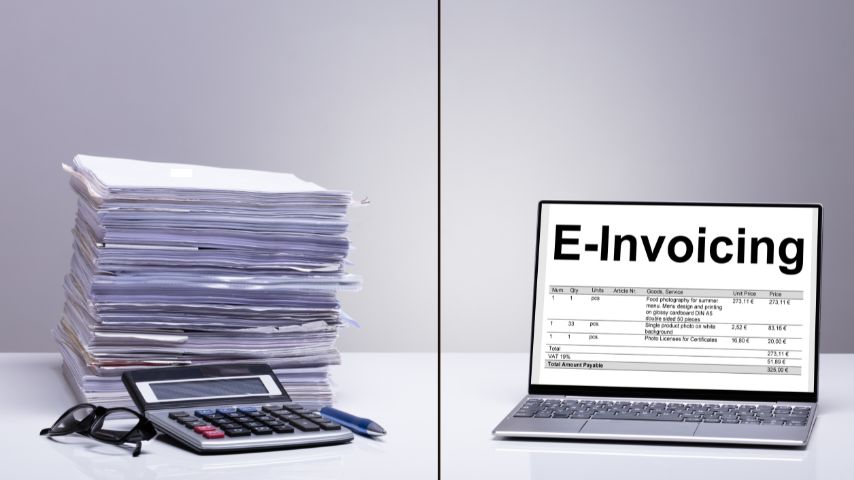
How Legal Billing Software Helps Corporate Legal Teams Manage UTBMS Codes
Ensure uniformity with legal e-billing software that ensures all invoices are reviewed against your coding criteria. You will have clear visibility of where any coding is missing or incorrect and track spend by phase, task, firm, and matter.
MatterSuite’s billing module automatically reduces and rejects invoices using rules based on your billing policies. All invoices are processed in bulk either in LEDES or Excel format. Any policy violations are flagged automatically and approved or rejected within the system. Full audit trails are created, and dashboards will give you visibility of spend by matter, firm, practice area, and timekeeper. This means you can turn your coded data into conversations about budget with Finance.
Conclusion
With UTBMS codes, legal teams have a consistent approach to reviewing invoices from external counsel, managing legal spend, and comparing their firm’s performance. However, without accurate coding, it will be of little use. MatterSuite offers a complete solution, including UTBMS and LEDES validation, automated invoice reviews and legal spend reporting, allowing legal teams to take control of their outside counsel costs.
Frequently Asked Questions
Previously published: July 29, 2024.