

For modern legal departments, the core challenge is ensuring the legal workflow takes place in an organized manner. A single request may require a business stakeholder, attorney, approver, a series of documents, and multiple deadlines. The interweaving process of all of these can be difficult to track, as the legal team may not always know who is responsible for what, and where the progress on a particular item is.
Legal workflow management software offers a framework in which to manage the movement of legal work through the organization. This helps legal departments define and standardize their processes, automate where possible, take advantage of assigning responsibility, track and manage deadlines, and retain information for auditing. The focus isn’t just on automating processes, but having a more reliable approach to managing legal work from receipt through to fulfillment, without losing out on control.
This guide talks about what legal workflow management software is, how it works, what legal processes should take advantage of automation, what features to look for, and how this type of software differs from other legal technologies such as matter management software.
What Is Legal Workflow Management Software?
A legal workflow refers to the step-by-step process a legal team goes through to handle a matter from start to finish, whether that’s a contract request, a compliance question, or a litigation matter. This covers all of the tasks, documents, and approvals required to ensure the work is completed. A clear legal workflow ensures the work is consistent and transparent.
Legal workflow management software takes care of mapping, executing, and monitoring those workflows in one place. It brings together requests, documents, emails, tasks, and deadlines so that work can be passed from one person to another without chasing status. You may also hear it referred to as legal workflow automation software or legal department workflow software.
How Legal Workflow Software Works
1. Request intake: A business team logs a contract request, compliance request, or legal query into a form or portal with the critical information attached from the beginning.
2. Assignment: A workflow automatically directs it to a particular attorney, legal operations manager, or reviewer depending on matter type, urgency, or load.
3. Drafting and review: The documents go through the drafting, co-creation, and approvals process, with version control capturing the evolution of the work product and who has approved the latest.
4. Completion and reporting: The matter closes, and the completed work product is stored with the relevant record, with the data feeding into dashboards that show the volume, time to close, and pinch points in the process.
Why Corporate Legal Teams Need Workflow Management Software
Much in-house legal work takes the form of processing a disordered stream of documents, deadlines, emails, and other communications from a variety of sources across the business. Workflow management software makes the legal work more efficient by organizing it around the law: who is responsible for what, what comes next, and when.
Legal departments clearly want it. In CLOC’s 2025 State of the Industry report, 63% of respondents cited workload/resource bandwidth as their biggest challenge, while 66% identified automating legal processes as a priority. But the actual adoption rate for such technologies was only 44% for legal workflow automation and 37% for legal service request/intake tools, compared to 72% for matter management. This leaves plenty of room for the quickest team to seize an emerging opportunity.
So, why do corporate legal teams need workflow management software?
It keeps requests and documents organized.
A good platform groups all the documents, messages, and details about the matter in one record, supported by document management and version control. Lawyers open a file and see the full picture, putting an end to searching in their inbox for the final version.
It automates routine tasks.
Task automation for legal teams takes care of the steps easily missed: reminders, filing alerts, and approval routing. Software tracks the necessary steps in the background and highlights those needing action, reducing manual follow-ups and clerical errors that snowball down the line.
It supports coordination across the business.
All the involved members can see who owns a request and what stage it is in and respond appropriately. The impact shows up in faster approvals, faster response to compliance questions, and less back-and-forth with Sales, HR, Procurement, and Finance.
It protects confidential data.
Files remain behind permission and encrypted storage, and the platform tracks who opened or edited every document. Corporate legal departments handle sensitive business information under strict internal compliance rules, so controlled access matters more than convenience.
It produces useful reporting.
Dashboards highlight workload, deadlines, and active work and spot where the delays start. It delivers the legal operations teams the data they need to improve legal ops efficiency and gives the general counsel a current view of the department.
Common Legal Workflows That Can Be Automated
Workflow automation for legal teams is best applied to areas of repetitive work, and these five workflows comprise most of the work in-house departments do.
Legal Intake and Request Management
Businesses send out requests to legal teams via email, forms, and portals, and without a consistent system for handling them. Different channels carry different information, and some requests fail to get a response. Legal intake automation provides a single channel for all requests, with classifications that route the request to its appropriate destination and track its resolution
Request → classification → assignment → tracking → resolution
The form provides the information needed to classify the request, determine its matter type, and assign it to a responsible person or team, following which tracking ensures that the request has been fulfilled. Effective legal request management also involves providing the submitter with information about the status of the request without requiring them to ask for an update.
Legal Document Drafting and Automation
In-house legal teams are often required to draft NDAs, agreements, policies, and other documents that frequently contain repetitive elements. Workflow software applies templates, document generation, and version control to legal document drafting, automating the creation of documents and storing them in repositories accessible to all team members.
The essential elements of legal document automation are templates, clause libraries, document assembly, and version control. Legal document automation produces first drafts of legal documents by applying approved language to a request, saving lawyers time spent on repetitive verbiage and letting them focus on the parts of the document that require human input. The use of document assembly in a contract drafting workflow also creates an auditable trail that records all changes to the initially assembled document.
Contract Review and Approval Workflow
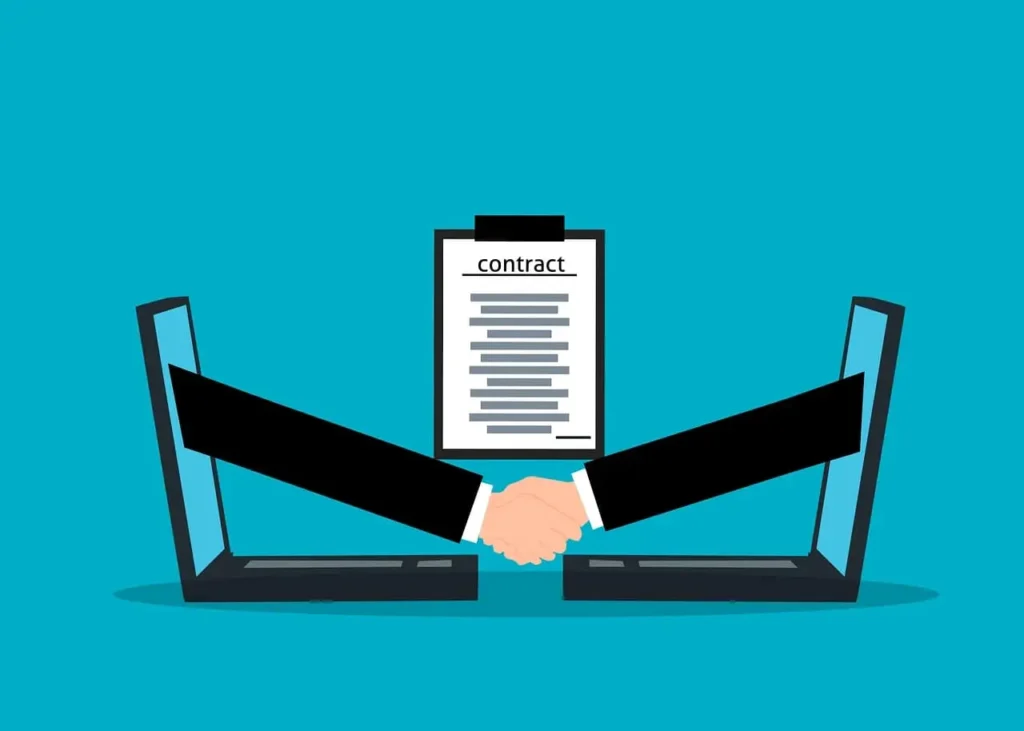
Contracts follow a certain path: request, draft, review, negotiate, approve, and sign. A contract review workflow ensures that each step goes to the right person according to the contract type, value, or risk, and a legal approval workflow prevents approvals from getting lost in the process. High-volume contract teams often tie this workflow into contract lifecycle management software that takes the contract through signature, obligations, and renewal.
Compliance Workflow Management
Compliance work is repetitive and usually deadline-driven, so it is a good candidate for a workflow to automate. Workflows can be used to schedule regular regulatory reviews, route policy updates for approval, and assign compliance tasks with a due date. Each step is auditable, so the team has a record of who reviewed or approved what, and when.
Matter Management Workflow
A matter goes through several stages: opening, tasks, documents, deadlines, and closure. A matter management workflow assigns tasks as the matter opens, attaches documents to the matter record, tracks deadlines, and finalizes the matter with an outcome. That’s legal matter tracking at the core, and legal matter management software stores the matter history in one place.
Key Features to Look For in Legal Workflow Management Software
Not all work management tools are created the same. These capabilities are designed to help legal professionals identify and choose between legal-specific tools and more generic task trackers.
- Automated legal intake: structured forms and routing that make it easy to capture and organize the information provided during intake
- Document drafting and template automation: legal-specific templates or clause libraries that help you quickly draft or assemble first drafts of legal documents.
- Approval routing: automation that routes your documents to the right decision-makers for their review and approval, with reminders and escalation rules
- Matter tracking: a live record of every matter that includes ownership, associated documents, and tasks
- Deadline management: automated task creation and reminders that keep you and your team on time and up to date
- Legal reporting dashboards: reports on billable hours, time spent, and other metrics to help you understand and manage your practice
- AI-assisted review: AI tools that help lawyers to review, summarize, and extract information from contracts and other documents with a human in the loop
- Integrations: connections to your other tools, including email, CRM, project management, and e-signature tools
- Security and permissions: features that let you control who sees what and keep sensitive information secure
- Ease of adoption: while it’s important to have a tool with all the features you need, it’s even more important to choose a tool your team will actually use.
Legal Workflow Management Software vs Matter Management Software
The two categories are somewhat overlapping, and users often tend to use both terms interchangeably. The former is used to refer to software that automates the workflow, whereas the latter is designed to store all information related to the legal matters and their lifecycle.
| Workflow Software | Matter Management Software | |
|---|---|---|
| Task automation | Yes | Yes |
| Matter tracking | Limited | Core |
| Documents | Basic | Advanced |
| Reporting | Limited | Advanced |
| Matter lifecycle | No | Yes |
| Legal operations visibility | Limited | Strong |
Products may differ; thus, the table below should be considered as a general reference of the usual features. It is common for corporations to utilize both types of programs, and their combination generally proves to be the most optimal in terms of legal management.
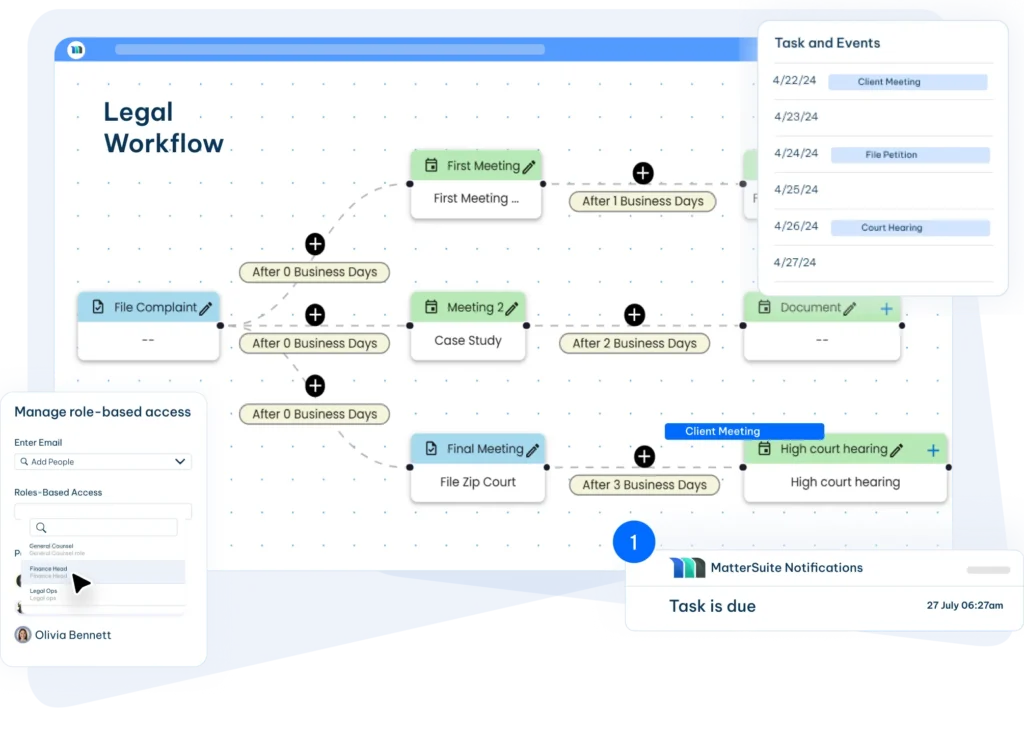
MatterSuite brings the two aspects together and allows you to configure the software in terms of automated workflow within the matter management platform. This configuration enables the organization to maintain the record of the case within a single platform, track approvals and progress, set reminders, add reports, and route documents.
Benefits of Workflow Automation for In-House Legal Teams
Faster business response. All requests from sales, procurement, and HR departments are immediately delivered to the relevant persons and follow a specific workflow that has been set by management, thus reducing the overall response time of the legal department.
Better visibility. The general counsel can always keep track of the matters without requesting any updates from employees, which enhances control and aids in priority setting and resource allocation.
Reduced administrative work. The workload of a lawyer can easily be monitored and supported by automated reminders, statuses, and document searches.
Fewer errors and better reporting. The standard procedures are always followed, and all activities are stored for quick access, which reduces the possibility of mistakes and facilitates auditing.
How AI Is Changing Legal Workflow Management
AI works best within a framework in which it accelerates specific processes while humans retain control over key decision-making points. Within a workflow platform, this typically takes the form of:
- Document review: highlighting deviations from approved language and missing terms
- Drafting assistance: generating first drafts and suggested variations based on approved templates
- Clause identification: finding specific language across a set of contracts
- Summaries: shortening lengthy documents or email chains to their essence
- Risk identification: calling out the clauses that require the most attention
The shift is unfolding faster than we expect. In the 2025 CLOC Chief Legal Officers Survey, 36% of respondents reported already leveraging GenAI within their legal departments, while legal ops executives on a CLOC and Harbor executive panel expect AI to be embedded in the tools their departments use. This puts the legal workflow platform at the center of the transformation, as it provides the governance, approvals, and audit trail necessary to make AI-assisted contract review both compliant and defensible.
How to Choose Legal Workflow Management Software
- Identify repetitive workflows. Look for automation opportunities. Make a list of the types of requests that eat up the most time in your legal ops team’s day, NDAs, vendor agreements, compliance reviews, and intake forms, for example. Then look for a platform that will be able to handle these use cases out-of-the-box.
- Check integration capability. Ask yourself if the software will be able to integrate with your email, scheduling software, e-signature tools, CRM, and other business systems your legal team interacts with on a regular basis.
- Evaluate security. Check if the platform offers the security features you need, including role-specific permissions, encryption, and auditing tools, and if it has passed any independent security certifications.
- Review reporting. See if you can get a preview of the reporting dashboard, or ask to see reports that matter to your general counsel and finance team — ideally without having to export any data.
- Consider scalability. Ensure the software can scale with your team’s growth by supporting an increasing number of users, matters, and use cases.
- Check implementation effort. Ask about the implementation timeline and complexity for your specific use case, who will be responsible for configuring the workflows and templates, and what kind of training your team will need.
Where to Start
Legal workflow management is ultimately a matter of creating more predictability around the execution of legal work. By tying requests, responsibilities, approvals, documents and deadlines together through a clearly defined process, the legal department becomes more controllable and more cooperative to the rest of the business.
The right software will not demand a new mode of operation from your team, nor will it require a new system to upkeep. Instead, it will make processes that are already in use more accessible and execute them with ease while providing the department with headroom to fine-tune these processes as their needs evolve.
For most corporate legal departments, that means picking one workflow that embodies a large amount of administrative overhead or a significant number of hurdles before reaching resolution. By reverse-engineering how the work gets done and identifying which processes are slowing the department down, you can automate many of the manual, time-consuming parts and move on to more useful workflows as the department matures.
The end result is not simply a faster legal process. It is legal operationalization with increased degrees of control over the work, greater command over accountability and more insight into how the department serves the business at large. It is at this point that legal workflow management software becomes something more than a useful tool: a fundamental pillar in the infrastructure of the modern legal department.
Frequently Asked Questions
It is software that helps legal teams automate, track, and manage legal processes, from intake requests and document drafting to contract reviews, approvals, matter tracking, and compliance workflows.
It routes requests to the right owner, automates reminders and approvals, keeps documents and versions in one record, and gives leaders reporting on workload and turnaround. Lawyers spend less time on coordination and more on legal work.
Common ones include legal intake, document drafting, contract review and approval, compliance tasks, and matter management.
Yes. It supports drafting through templates, clause libraries, document generation, approval workflows, and version tracking. A lawyer still reviews the content before it goes out.
Workflow software automates how work moves between people and steps. Matter management software holds the full record of each matter across its lifecycle, including documents, deadlines, costs, and reporting. Many platforms combine both.
It can be, if it has proper role-based permissions, encryption of stored and transferred files, audit trails, and independent security certifications, and clear information about data hosting by the vendor.
It depends on the number of necessary workflows, the amount of software integration, and migration of existing data. Most companies begin with one legal workflow, for instance, intake or contract approvals, and then add more. Ask the vendor for a detailed description of the implementation timeline that suits your scope.
No, it does not. Software is used to set reminders, routing notes, track deadlines, and perform first-level reviews. Legal professionals still do their job of legal judgment, negotiations, and other tasks, and they have more time for them due to automation.