


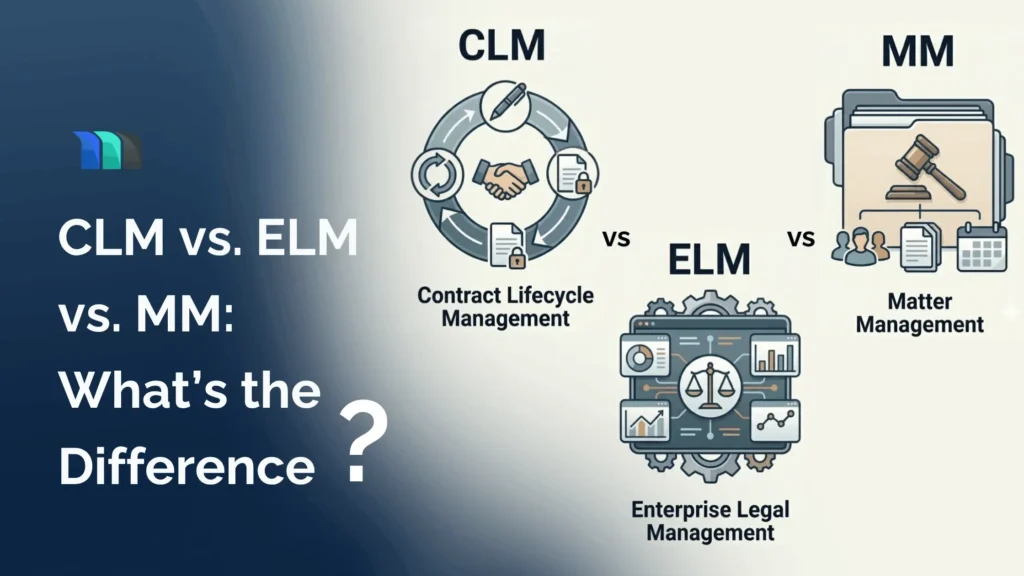
As a legal professional researching good legal software, you must have run into acronyms that seem to overlap: CLM, ELM, and Legal Matter Management (LMM). They are often used synonymously, and the legal tech vendors do not make it any easier, either. Most of them try to pitch their tools as doing “all three,” further blurring the lines.
But these are meaningfully different tools, built to solve different problems. Choosing the wrong one or even worse, failing to understand how they fit together, can cost your legal department months of effort and budget.
This guide breaks down exactly what each system does, how they are different, where they overlap, and how to decide which one your legal team actually needs.
Understanding Contract Lifecycle Management
What is Contract Lifecycle Management (CLM) software?
Contract lifecycle management (CLM) software helps teams manage contracts from the initial request all the way through signing, performance, renewal, and termination. The word “lifecycle” is doing real work here. CLM actively keeps track of every stage a contract passes through, in order to reduce risk and make sure nothing important gets missed.
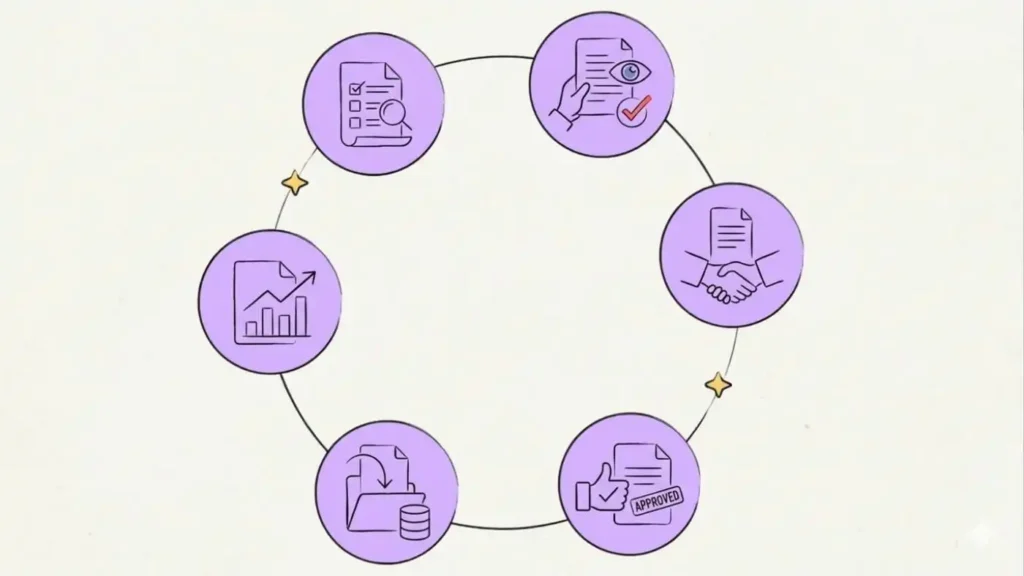
How Contract Lifecycle Management (CLM) Works?
1. Request & Initiation: Everything starts with identifying the need. Before anything is drafted, CLM captures the important information, parties involved, timelines, and potential risks, giving legal a clear brief to work from.
2. Authoring & Drafting: Rather than starting from scratch every time, CLM platforms use pre-approved templates and clause libraries to generate consistent, compliant first drafts automatically.
3. Negotiation & Collaboration: Both parties review, redline, and propose changes. A good CLM keeps version history clean, tracks every edit, and ensures the right people are looking at the right version.
4. Approval & Review: Before anything gets signed, the contract is reviewed by appropriate stakeholders: legal for compliance, finance for budget alignment, and leadership for sign-off. CLM automates this routing based on contract type, value, or risk level.
5. Execution & Signing: E-signature integration makes this stage fast and legally binding. Executed copies are automatically stored, timestamped, and distributed, with a full audit trail attached.
6. Obligation Tracking & Administration: This is where most teams fail without CLM. Post-signature, the platform tracks milestones, payment schedules, deliverables, and KPIs. Automated alerts remind teams of upcoming deadlines before they become missed obligations.
7. Renewal & Termination: As contracts approach their end date, CLM triggers review workflows. Teams can amend, renew, or close out the contract, with performance data and lessons learned captured for the next negotiation.
Key Features of Contract Lifecycle Management (CLM) Software
Contract Request & Intake: Capture contract requests in a structured format from the start, so legal always has the full picture before drafting begins.
Template & Clause Library: Build contracts using pre-approved templates and standard clauses, reducing drafting time and keeping language consistent across all agreements.
Redlining & Version Control: Track every change made during negotiation in one place, so the team always knows what was changed, by whom, and which version is current.
Approval Workflows: Route contracts automatically to the right stakeholders based on contract type, value, or risk level, without manual follow-up.
E-Signature Integration: Send contracts for signature directly from the platform and get them executed faster, with a full audit trail attached.
Obligation & Milestone Tracking: Monitor deadlines, payment schedules, and deliverables after a contract is signed, so nothing is missed once the ink is dry.
Renewal & Expiry Alerts: Get notified before contracts renew or expire, giving the team enough time to review, renegotiate, or terminate without being caught off guard.
AI-Assisted Contract Review: Automatically flag risky clauses, deviations from standard language, and missing terms before a contract goes out or gets signed.
Contract Repository: Store all contracts in a centralized, searchable system so anyone on the team can find what they need in seconds.
Reporting & Analytics: Track contract volume, cycle times, and bottlenecks across the entire contract portfolio to identify where the process can improve.
Understanding Legal Matter Management (LMM)
What is a Matter Management (LMM) software?
Legal matter management software is a system that helps in-house legal teams track, organize, and manage all their legal work in one place. It serves as a centralized repository for all legal matters, enabling legal teams to maintain oversight of ongoing work, allocate resources effectively, and ensure the timely resolution of every matter.
How Legal Matter Management (LMM) Works?
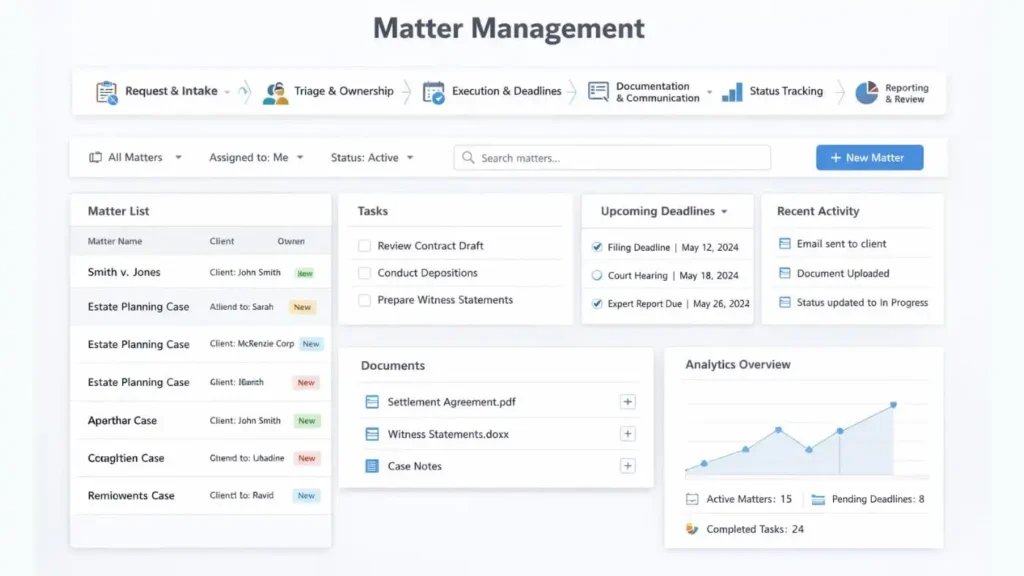
1. Request & Intake: Every matter starts with a request. During the legal intake stage, the details of the request are captured in a structured format, including the nature of the work, the parties involved, and any relevant context.
2. Triage & Ownership: Once a request is logged, it needs to be assessed and directed. Work is broken down into tasks, priorities are set, and ownership is assigned.
3. Execution & Deadlines: This is where the actual legal work happens. Tasks move forward, deadlines are tracked, and progress is recorded against the matter.
4. Documentation & Communication: Every matter generates documents, drafts, notes, and correspondence. Matter management keeps everything attached to the relevant matter, allowing anyone on the team to access what they need without asking.
5. Status Tracking: As work progresses, visibility becomes important. Legal Matter Management gives the team a clear, real-time view of where each matter stands, whether it is open, in progress, blocked, or resolved.
6. Reporting & Review: Once a matter is resolved, it is formally closed, documented, and archived. Outcomes, costs, and key decisions are recorded for future reference, building knowledge that the department can draw on for similar matters down the line.
When In-House Teams Use Legal Matter Management (LMM)
Legal Matter Management (LMM) mirrors how legal work actually flows inside a department. A matter comes in, gets assessed, broken down, and handed off across the team. Here is what that looks like at each level:
General Counsel: Gets a real-time view of everything the department is working on, how long matters are taking, and where things are stuck, without having to ask anyone for an update.
Senior Attorney: Reviews incoming matters, determines scope, and delegates tasks to the right people. Tracks progress without chasing updates over email.
Junior Attorney: Picks up assigned tasks with full context already attached, knows exactly what is expected, and updates progress directly against the matter.
Paralegal: Handles supporting work like document preparation and research, attaches everything to the right matter, and stays aligned with the rest of the team without separate check-ins.
Legal Ops: Monitors workload distribution across the team, tracks deadlines, and pulls reporting when leadership needs visibility into the department’s output.
Understanding Enterprise Legal Management
What is Enterprise Legal Management (ELM) software?
Enterprise Legal Management (ELM) brings all the aspects of legal together. ELM gives legal departments one platform to run their entire operation, from matter management, outside counsel billing, to legal spend, and reporting. Where CLM focuses on contracts and matter management focuses on legal work, ELM brings both together and adds a critical layer that neither covers: legal spend management.
How Enterprise Legal Management (ELM) Works?
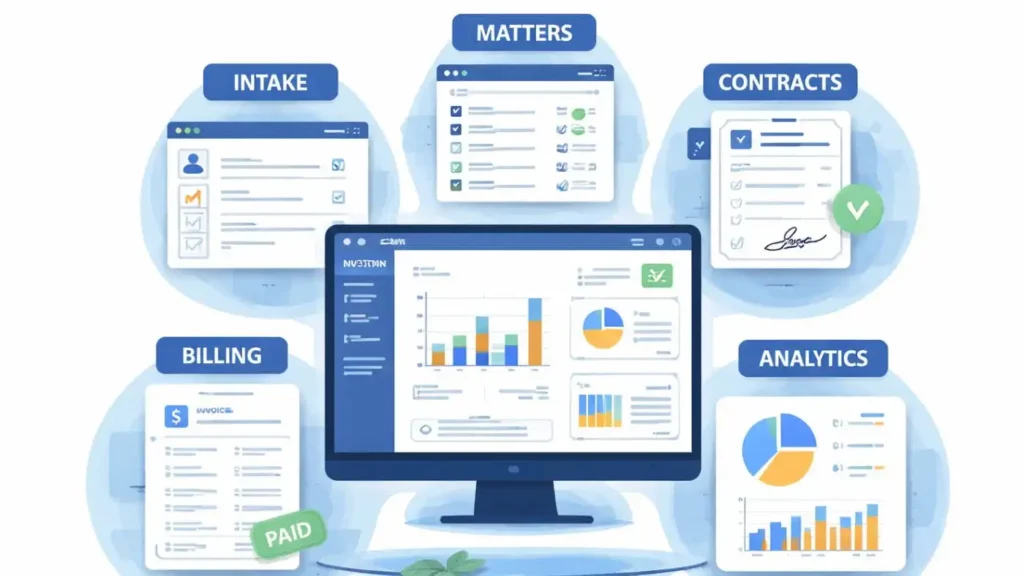
1. Matter Management: Matter Management is the backbone of every ELM software. All legal work is tracked, assigned, and reported on within the same system. Every matter is directly connected to its associated costs, vendors, and documents.
2. Contract Management: ELM platforms include contract management capabilities that allow legal teams to store, organize, and track executed agreements. Contracts are linked directly to their relevant matters, giving teams full context around every piece of work.
3. Legal Spend Management: This is what sets ELM apart. Legal departments use ELM to receive, review, and approve invoices from outside counsel and other legal service providers. Billing guidelines are enforced automatically, invoice errors are flagged before payment, and spend is tracked against budgets in real time.
4. Outside Counsel & Vendor Management: ELM solutions maintain a structured record of every external legal service provider the department works with. Rate cards are managed, performance is tracked, and relationships are evaluated based on actual data.
5. Compliance & Risk Management: ELM software helps legal departments track regulatory obligations, monitor compliance deadlines, and maintain audit-ready records across the organization.
6. Budgeting & Financial Reporting: ELM connects legal spend to broader financial planning. Legal departments can set matter-level and department-level budgets, track actuals against forecasts, and produce reports that give the CFO a clear picture of legal costs across the organization.
What to Look for in an ELM Software?
Not all ELM software is built the same. Before committing to one, here is what a mature enterprise legal department should be evaluating:
- Custom Matter Workflows: The platform should adapt to how your team works, not the other way around.
- Legal Ecosystem Integrations: It needs to connect with the tools your team already uses, from your CLM to Microsoft Outlook, without manual workarounds.
- Security & Compliance: Look for ISO 27001 certification, third-party audits, and routine penetration testing as a baseline.
- Hosting Options: Cloud, on-premise, and private cloud options should all be available so your IT team is not forced into a deployment model that does not fit.
- User Adoption & Implementation Support: A structured onboarding plan and ongoing support matter as much as the features list.
- Scalability: The platform should handle more matters, more users, and more complexity as the department grows.
CLM vs ELM vs Legal Matter Management (LMM): Key Differences
| CLM | LMM | ELM | |
| Primary Focus | Contracts (from drafting to renewal) | Legal matters and cases | Full legal operations for enterprises |
| Scope | Just contracts | Matters and related documents | Whole enterprise and entire legal process |
| Key Users | Legal, sales, and procurement teams | In-house counsel, paralegals | General Counsel, finance teams, C-suite execs, compliance officers |
| Key Capabilities | Templates, negotiation, e-signature | Matter & document management, time tracking, and invoices | Spend tracking, analytics, intake, matters, including contracts |
Real-World Scenarios: Which Tool Fits?
Scenario A: Fast-Growing SaaS Startup
A SaaS company is closing deals faster than its two-person legal team can keep up with. NDAs, MSAs, and subscription agreements are piling up, sales are complaining about cycle times, and nobody is tracking renewal dates.
The right fit: CLM. The problem is entirely contract-driven. A CLM with templates, automated approval workflows, and renewal alerts will directly address the bottleneck without overcomplicating things with tools the team does not need yet.
Scenario B: Mid-Size Company with a Growing Legal Team
A legal team of six is handling a mix of commercial contracts, employment matters, regulatory queries, and board governance. Work is being tracked on a shared drive. The GC has no reliable way to report on what the team is working on or how long things are taking.
The right fit: Matter Management. The problem is visibility and organization across a wide variety of work. A matter management system brings everything into one place, gives the team structure, and gives leadership the reporting they need.
Scenario C: Large Enterprise with Significant Outside Counsel Spend
A large corporate legal department spends millions annually on outside counsel for litigation, M&A, and regulatory matters. Law firm invoices are reviewed manually, budgets are tracked on multiple tools, and the CFO is asking hard questions about legal costs.
The right fit: ELM. The problem is financial and operational at scale. ELM brings matter management, invoice review, spend tracking, and vendor management into one platform, giving the department the infrastructure to run like a business.
Scenario D: Legal Department Doing Everything Manually
A three-person legal team at a mid-size company is managing everything through email, shared drives, and spreadsheets. Contracts are stored in folders, matters are tracked in a shared document, and there is no visibility into deadlines or workload.
The right fit: Start with Matter Management. Before investing in specialized tools, this team needs a basic structure and visibility. A matter management system is the most practical first step. As contract volume grows, CLM can be layered in. If outside counsel spend becomes significant, ELM becomes the next conversation. The use of all three will ensure the smooth functioning of the company.
Making the Right Call for Your Legal Department
CLM, Matter Management, and ELM are not competing tools. They are purpose-built solutions designed to solve different problems at different stages of a legal department’s growth.
CLM is for teams that need to take control of their contracts. Matter Management is for teams that need visibility and structure across all their legal work. ELM is for teams that need to run their entire legal operation with the same financial discipline and operational rigor the rest of the business expects.
The right starting point is always the same: identify where your team is losing the most time, carrying the most risk, or facing the most pressure from the business. Knowing the challenges with your current setup always points directly to the tool you need most.
Many legal departments will eventually use more than one. The best legal technology stacks are not built all at once. They are built intentionally, one problem at a time, with each tool connected to the next.