
What is Matter Management?
Matter Management is how legal teams bring order to legal work. It involves keeping track of legal matters as they move from intake to closure. It brings requests, documents, tasks, financials, approvals, deadlines, and client communications together in one centralized space, streamlining the process for both internal and external counsel.
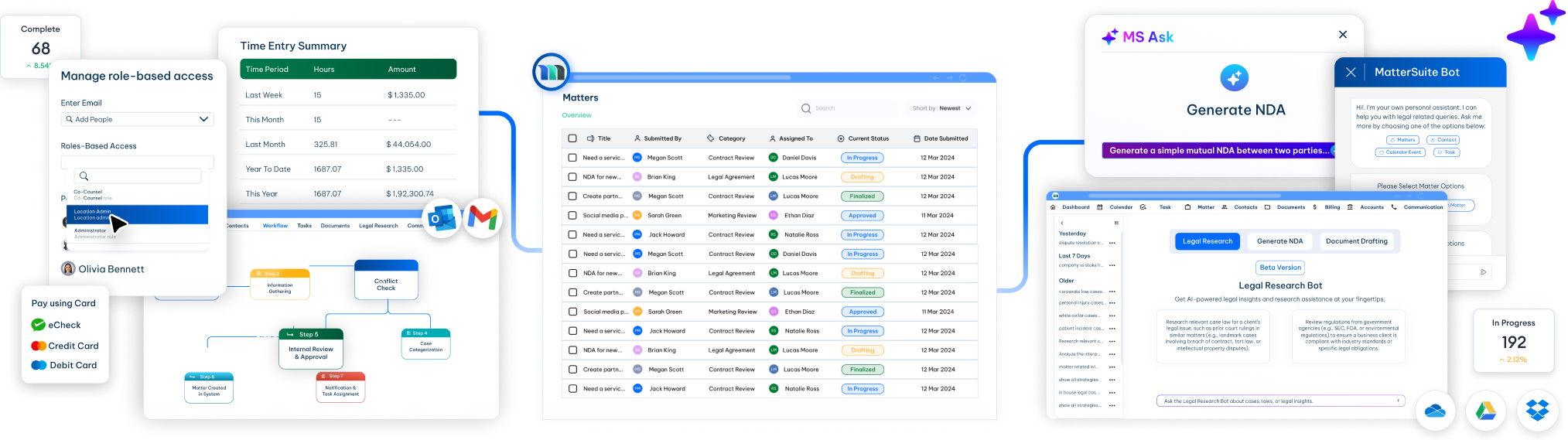
Understanding Matter Management
Matter management is all about clarity and control. Each matter becomes the reference point for the work, showing what needs to happen next, who is responsible, and what has already been completed. This structure helps teams follow progress, assign responsibility, and understand what has happened at any point in time. It allows teams to collaborate efficiently, provides control, and thus improves productivity, which directly contributes to business outcomes.
For instance, a law firm handling complex cases with external counsel often runs into problems when emails, documents, and updates are scattered. Tasks start slipping, deadlines are missed, and billing errors occur. Team members lose sight of progress or risk, and more time is spent tracking work than actually doing it.
By managing work at the matter level, it is easier for legal teams to avoid confusion, maintain oversight, and improve coordination. The result is a more reliable way to handle legal work from start to close, without losing information or control.
What is Matter Management software?
Matter management software is a system, or a set of connected tools, used to organize and manage legal work. It is built around legal matters and supports teams as work moves from intake through completion. The software helps track activity, assign responsibility, and maintain oversight as a matter progresses. It replaces ad-hoc activities and centralizes the legal work.
Law firms and in-house legal teams use matter management software to replace informal ways of working. Emails, spreadsheets, and personal notes create gaps and confusion. Matter management brings structure to legal work and makes ownership and status clear.

Why Matter Management matters for legal teams?
Legal work keeps growing with time. Volume increases before headcount does. Work comes in from many directions. Emails, spreadsheets, and side conversations hold key details. Soon, it becomes hard to see what is open, what needs attention, and who is carrying too much work.
In the legal world, you cannot let things slip. That is why adopting a system that keeps all the parts of legal work in one space becomes a necessity and not just a convenience. It allows teams to minimize the risk of misplacing essential documents and missing deadlines, thus providing a better client experience. It goes beyond just being instrumental in the legal process, freeing up time to give space for other important tasks.
What does Matter Management cover?
Matter Management essentially covers all the stages of a matter lifecycle. It starts with intakes, tasks are assigned, work is carried out, andthe progress is tracked. The process is simple and repeats with every new request.
Request / Intake
This is the stage where legal work starts, often when a formal or informal request enters the system. Recording client information in a clean and consistent format is the key here. This ensures complete information is captured, without missing any important detail.
Triage & Ownership
After the request is reviewed, it needs direction. The work is broken down and divided into different tasks. Priorities are set, and tasks are assigned. Clear responsibility is established, which makes it easier to understand what needs to be done next and where the matter stands at any point.
Execution (Tasks & Deadlines)
The real legal work starts here. Tasks are created, and deadlines are tracked as the matter moves forward. When everything is tied to the matter, it is easier to stay on track and avoid missed dates, even when multiple people are working on it.
Documentation & Communication
With every matter comes drafts, documents, notes, and internal discussions. All of them matter and have to be attached to the matter. When documents and communication stay in one place, teams don't have to search through emails.
Status Tracking
As work progresses, visibility becomes important. Matter management makes it easy to see whether something is open, in progress, blocked, or completed. This helps teams stay aligned and reduces the need for constant follow-ups just to understand progress.
Reporting & Review
Understanding workload, turnaround time, and recurring tasks provides insights into matters, hence supporting better planning. Reporting also helps legal teams improve how they manage the requests in the future.
Who uses Matter Management software?
Matter Management software is used by many legal professionals. The tools may look the same, but the needs are different. At its core, matter management helps people keep legal work organised, visible, and easy to follow as it moves forward.
Law firms
Client work is often scattered. Law firms use matter management to keep client work in one place. Each matter holds documents, tasks, and updates. This helps teams track progress and avoid losing context across emails and folders.
In-house legal departments
When requests come from everywhere and without context, tracking becomes messy. GCs, CLOs, and their teams use matter management to handle requests from across the business. Assigning work, tracking status, and overseeing every action becomes easier.
Legal ops teams
When work is spread across tools, reporting takes effort and answers are incomplete. Matter Management helps bring consistency to the legal work. It allows legal ops teams understand workload, identify gaps, and support better planning.
Small legal teams
Emails and spreadsheets often fail to keep everything together when the work grows. Matter management gives them structure as work increases and more people get involved.
Paralegals and assistants
Paralegals and assistants have to constantly track different tasks. Matter Management ensures that all the assignments are getting done on time, keeping matters moving without constant follow-ups.
Solo lawyers
When you have to manage everything alone, it is easy to miss small things. Solo lawyers use Matter Management Software to manage multiple matters without added complexity. It helps them track deadlines, store files, and keep client work organised in one system.
Matter Management vs. Case Management
Both these terms are related, but they are not interchangeable. They solve different problems even though they overlap. Here are some key differences:
| Matter management | Case management |
|---|---|
|
|
In simple terms, case management fits inside matter management. If a team only handles court cases, case management may be enough. If a team handles many kinds of legal work, matter management gives a wider view.
What does Matter Management look like in practice?
Good matter management tools help legal teams keep their work clear and connected. This helps in making everything traceable and easy to review later.
Clear matter timelines
Each matter shows when it started, what has happened, and its current state. Teams can understand progress without chasing updates.
All work in one view
Tasks, files, notes, and decisions stay linked to the matter. This keeps context intact and avoids digging through emails or folders.
Document management
All matter-related documents stay attached to the matter itself. Version history, access control, and quick retrieval help avoid any risk of incorrect files.
Calendaring and key dates
Important dates, such as deadlines, renewals, and hearings, stay tied to the matter when you use matter management software. This helps teams plan and avoid missed dates.
Different matter types
A matter management software should support different types of matters from different practice areas. Each type follows a structure that fits the work.
Task flow and deadline support
Legal work follows a sequence. Tasks move from one person to another, often with fixed dates. A matter management tool should help assign work, track due dates, and surface what needs attention.
Visibility through reporting
Reporting allows teams to monitor the progress of the matter. It shows what is open, what is closed, and where work is slowing down.
Protection of sensitive information
Legal matters contain confidential information. The matter management software should protect the information through access controls and built-in compliance tools.
Support for collaboration
Every matter requires collaboration. A matter management software should support communication and shared work to help avoid duplication and confusion.
How Much Does Matter Management Software Cost?
Matter management software can vary widely in pricing because it serves very different types of legal teams. Some tools are built for solo attorneys and small firms that only need core matter tracking and basic reporting. Others are designed for enterprise legal departments that require automation, integrations, security controls, and advanced visibility across large volumes of work.
In most cases, pricing depends on three things: the size of your team, the features you need, and the deployment model (cloud vs. enterprise-grade setups). Below are common pricing ranges and what each level typically includes.
1. Solo Attorneys or Small Legal Teams
Small legal teams generally pay $39 – $79 per month, depending on the feature set and the number of users. A basic plan typically includes:
- Matter tracking
- Document storage
- Basic reporting
- Standard integrations
2. Mid-sized Teams
Mid-sized teams typically fall in the range of $80–$150 per month. At this level, teams usually need more visibility and control across workflows, approvals, and financial tracking. Plans often include:
- Advanced reporting and dashboards
- Workflow automation
- Contract data extraction
- Spend tracking and vendor management
- API or CRM integrations
3. Enterprise Legal Departments
Enterprise pricing is usually custom and often starts around $150+ per user per month, or it may be structured as a platform-wide annual contract. These plans are designed for scale, governance, and deeper integrations. Enterprise plans often include:
- Advanced automation and AI capabilities
- Custom workflows
- Dedicated support
- Role-based permissions
- Integration with ERP and financial systems
- Security and compliance controls
Common Matter Management Software Pricing Models
Beyond team size, vendors also price matter management software differently depending on how the product is packaged and sold. The most common models include: